Tuesday, 15 March 2022

Belajar HTML dari Nol: Pengenalan Dasar HTML untuk Pemula


HTML memang bahasa yang wajib dipelajari, bagi yang mau menjadi web developer.

Karena…

HTML merupakan bahasa dasar untuk membuat web.

Saya yakin, kamu sudah pernah mendengar HTML sebelumnya. Tapi tidak ada salahnya membaca kebali artikel ini.

Pada tutorial ini, kita akan benar-benar membahas dari nol hingga kamu bisa membuat halaman HTML sendiri.

Baiklah…

Mari kita mulai!

Apa itu HTML?

Mari kita lihat pengertian HTML menurut wikipedia:

HTML atau HyperText Markup Language merupakan sebuah bahasa markah

untuk membuat halaman web. 1

Paham kan maksudnya?

Kalau belum paham, sini saya jelaskan…

Jadi, HTML itu adalah sebuah bahasa yang menggunakan markup atau penanda untuk membuat halaman web.

Penanda atau markup ini, nanti akan kita sebut dengan Tag.

HTML berperan untuk menentukan struktur konten dan tampilan dari sebuah web.

Kalau kita ibaratkan nih..

HTML itu seperti batu bata untuk membangun rumah. Batu bata ini dapat disusun, hingga menjadi fondasi dasar.

HTML CSS dan Javascript

Dalam membuat halaman web, HTML tidak sendirian. Ada bahasa lain lagi yang menjadi pelengkapnya, yakni CSS dan Javascript.

CSS adalah bahasa khusus yang digunakan untuk memperindah tampilan web.

Lalu Javascript bertugas untuk membuat halaman web menjadi hidup. Karena dengan Javascript, kita dapat menentukan fungsi-fungsi maupun efek yang akan diterapkan di website.

Oh iya, pada tutorial ini.. Kita akan fokus dulu membahas HTML. Jika kamu ingin belajar CSS dan Javascript, silahkan buka:

Oke, saya anggap kamu sudah paham tentang apa itu HTML serta peranannya dalam pembuatan web.

Berikutnya, biar lebih paham.. kita akan membahas sejarah dan asal-usul HTML.

Sejarah dan Asal-usul HTML

Sejarah lengkap HTML bisa juga dibaca di:

Pada tutiorial ini, kita akan bahas sejarahnya secara singkat.

Cerita awal kemunculan HTML dimulai dari tahun 1980..

Saat itu seorang ilmuan bernama Tim Berners-Lee sedang bekerja di CERN.

Tim Berners-Lee (2009)

CERN sendiri bukanlah perusahaan yang berkaitan tentang teknologi maupun internet. CERN adalah singkatan dari bahasa prancis: Conseil Européen pour la Recherche Nucléaire.

Yang artinya: Komisi Eropa untuk Penelitian Fisika Nuklir.

Website CERN (2020)
Website CERN (2020)

Para peneliti di CERN membutuhkan sebuah cara atau sistem agar bisa saling berbagi dokumen hasil penelitian.

Tim kemudian mencoba membuat ENQUIRE. Ini adalah software hypertext yang akan digunakan untuk berbagi dokumen.

Lalu di tahun 1989, Tim memperkenalkan ide tentang hypertext berbasis internet. Ini nantinya akan menjadi cikal-bakal HTML.

Tim kemudian memulai proyek baru dengan rekannya Robert Cailliau yang merupakan system engineer di CERN. Akan tetapi proyek ini tidak resmi diadopsi oleh CERN.

Tim Berners-Lee (kiri) dan Robert Cailliau (kana)
Tim Berners-Lee (kiri) dan Robert Cailliau (kanan)

Pada akhir tahun 1991, Tim Berners-Lee menerbitkan dokumen yang berjudul: “HTML Tags”

.

Dokumen ini berisi penjelasan tentang 18 tags awal yang menjadi konsep dasar HTML.

HTML sebenarnya dirancang berdasarkan pada konsep bahasa markup yang dikenal dengan SGML (Standard Generalized Markup Language).

SGML adalah sebuah standar internasional untuk membuat dokumen dengan tanda (markup) seperti paragraf, list, heading, dan lain-lain.

Bisa dibilang..

HTML adalah implementasi dari SGML.

Kalau kita lihat, beberapa tag seperti <title>, <p>, <li>, dan <h1> sampai <h6> berasal dari SGML. Namun, tidak semua yang ada di HTML berasal dari SGML.

Salah satunya adalah Hyperlink, yang murni hasil pemikiran Tim Berners-Lee.

Ide tentang HTML ini kemudian disebarkan ke dalam sebuah mailing list dan segera menjadi perhatian berbagai ilmuwan komputer di seluruh dunia.

Perkembangan dan Versi HTML

HTML punya beberapa versi, dari versi yang paling tua hingga yang terbaru. Berikut ini perkembangan versi HTML:

  • [Draft] HTML 1.0 (Juni 1993) adalah versi HTML pertama, namun tidak resmi dirilis;
  • HTML 2.0 (24 November 1995) adalah versi HTML kedua yang resmi pertamakali beredar di pasaran dan dirilis oleh IETF;
  • [Draft] HTML 3.0 (28 Maret 1995) versi ini gagal beredar, karena banyak perubahan yang memicu perdebatan;
  • HTML 3.2 (14 Januari 1997) versi resmi yang dirilis W3C pertamakali.
  • HTML 4.0 (24 April 1998) versi pengembangan dari yang seblumnya;
  • HTML 4.01 (24 Desember 1999) versi perbaikan dari HTML 4.0;
  • XHTML 1.0 (26 Januari 2000) pengembangan dari HTML 4.01 dengan mengadopsi XML;
  • XHTML 2.0 (Augustus 2002—Juli 2006) versi kedua dari XHTML;
  • HTML 5 (28 Oktober 2014) versi html saat ini.

Versi [draft] adalah versi yang tidak resmi dirilis ke pasaran. Bentuknya cuma masih dalam draft speksifikasi saja.

Artinya..

Tidak ada yang menggunakan versi [draft] untuk membuat web.

Lalu, versi mana yang akan kita pakai?

Tentunya versi terbaru, yakni HTML 5.

Peralatan untuk Belajar HTML

Nah, sekarang.. Tiba saatnya kita praktik!

Tapi sebelum itu, kamu harus siapkan beberapa alat yang akan digunakan untuk praktik.

Adapun peralatan yang harus kamu persiapkan adalah:

1. Teks Editor untuk Menulis HTML

Teks editor akan kita gunakan untuk menulis kode-kode HTML. Kamu bebas menggunakan teks editor apapun.

Notepad boleh, Notepad++ juga boleh..

Notepad++ untuk menulis HTML

Apapun teks editornya, yang penting bisa digunakan untuk membuat dan menulis dokumen HTML.

Namun, pada tutorial ini.. kita akan menggunakan teks editor Visual Studio Code.

2. Web Browser untuk Membuka HTML

Web browser akan kita gunakan untuk membuka HTML. Kamu juga bebeas menggunakan web browser apapun.

Web browser untuk membuka HTML

Saran saya sih.. gunakan web browser yang terbaru, karena kita juga akan menggunakan HTML versi yang terbaru.

Firefox atau Google Chrome, saya kira sudah cukup.

Membuat Dokumen HTML Pertamamu

Kini tiba saatnya, kamu harus mencoba sendiri membuat dokumen HTML. Caranya sangat mudah.

Mari kita mulai dengan membuka teks editor, lalu tulislah kode berikut.

<!DOCTYPE html>
<html lang="en">
    <head>
        <title>Belajar HTML #01</title>
    </head>
    <body>
        <p>Hello World!</p>
    </body>
</html>

Setelah itu, simpan dengan nama hello-world.html.

Dokumen HTML pertamaku

Tips: buat kamu yang menggunakan Notepad di Windows, simpanlah nama filenya dengan menggunakan tanda petik "hello-world.html" agar ekstensinya .html, bukan .txt.

Atau kamu bisa aktifkan fitur show extension pada Windows Explorer, agar bisa tahu ekstensi filenya.

Caranya.. masuk ke menu View, lalu centang File name extensions.

Windows Explorer file extension

Oke.. lanjut!

Sekarang cobalah buka file hello-world.html dengan web browser.. maka hasilnya:

membuat website dengan HTML

Selamat! 🎉

Kita sudah berhasil membuat halaman web pertama dengan HTML.

Kini giliran saya menjelaskan maksud dari kode di atas, tapi sebelum itu.. saya akan jelaskan dulu tentang nama file untuk HTML.

Nama File untuk HTML

Ada beberapa hal yang perlu diperhatikan dalam membuat nama file HTML:

1. Extensi file HTML

Setiap file HTML harus berekstensi .html, .xhtml (untuk XHTML), dan .htm saja. Jika tidak menggunakan ekstensi ini, maka ia tidak akan bisa dibaca oleh web browser.

Contohnya seperti ini:

Nama filenya adalah hello-world.txt.

File txt pada browser

Sedah jelas, ini bukan file HTML, melainkan sebuah file teks biasa. Maka.. browser akan menampilkan isi file tersebut apa adanya.

2. Nama Khusus untuk Homepage

Jika kamu ingin membuat halaman untuk homepage, maka sebaiknya gunakan nama index.html. Karena ia akan otomatis dibuka saat website dikunjungi.

Contohnya, saat kamu membuka www.petanikode.com.. maka file HTML yang akan dibuka adalah index.html yang berada di server petanikode.

3. Hindari Beberapa Hal ini..

Penggunaan Spasi

Nama file HTML biasanya akan tercantum pada URL, maka sebaiknya hindari menggunakan spasi pada nama file HTML, agar URL yang dibentuk lebih bagus.

Spasi pada URL, biasanya akan otomatis diubah menjadi %20.

Spasi pada URL

Sebagai ganti spasi, kamu bisa gunakan tanda min (-) atau undescore (_).

Jangan Alay!

Berikanlah nama file HTML dengan file yang biasa, hindari menggunakan huruf besar, campuran dari huruf besar dan kecil, dan juga menggunakan simbol.

Contoh:

  • HeLLoWORLD.html
  • da*#$.html

Meskipun nama ini bisa valid, tapi kurang bagus untuk dibaca.. baik oleh manusia, maupun mesin.

Baiklah, berikutnya kita akan pelajari tentang kode-kode HTML.

Struktur Dasar HTML

Berikut ini adalah kode HTML yang baru saja kita buat:

Struktur dasar kode HTML

Penulisan kode HTML selalu dimulai dengan deklarasi DOCTYPE, lalau menuliskan tag <html> dan di dalamnya terdapat tag <head> dan <body>.

Kalau kita perhatikan.. struktur dasar kode HTML terdiri dari tiga bagian penting:

  1. Bagian Deklarasi
  2. Bagian HEAD
  3. Bagian BODY

Mari kita bahas satu-per-satu:

1. Bagian Deklarasi

Coba perhatikan kode pada baris pertama: <!DOCTYPE html>.

Ini adalah tag deklarasi untuk menyatakan tipe dokumen dan versinya. Pada contoh di atas, kita menyatakan dokumen ini bertipe HTML dan versinya adalah HTML 5.

Nah, untuk HTML versi 4.. beda lagi cara deklarasinya.

Contoh untuk HTML 4.01:

<!DOCTYPE HTML PUBLIC "-//W3C//DTD HTML 4.01 Transitional//EN" "http://www.w3.org/TR/html4/loose.dtd">

Cukup panjang bukan..

Lalu apakah boleh kita tidak menulis kode <!DOCTYPE html> ini?

Boleh-boleh saja.. dokumen HTML-nya akan tetap bisa dibuka di web browser. Tapi, ini tentunya akan melanggar aturan standar yang dibuat W3C.

O ya, kita bisa mengecek.. apakah HTML yang ditulis sudah benar atau tidak di https://validator.w3.org/

.

Cek validasi HTML

Lanjut…

Berikutnya, di bawah tag deklarasi <!DOCTYPE html> terdapat tag pembuka untuk HTML:

<html lang="en">

Tag <html> wajib ada di setiap dokumen HTML..

Pada tag ini, kita memberikan atribut lang="en" untuk menyatakan kalau konten dokumen HTML ini akan menggunakan bahasa inggris.

Nah di dalam tag <html> ini, terdapat dua tag penting lagi.. yakni: tag <head> dan tag <body>.

Setelah itu barulah terakhir tag HTML ditutup dengan </html>.

2. Bagian HEAD

Bagian HEAD adalah bagian kepala dari HTML. Dimulai dari tag <head> dan ditutup dengan </head>.

<!DOCTYPE html>
<html lang="en">
    <head>
        <title>Belajar HTML #01</title>
    </head>
    <body>
        <p>Hello World!</p>
    </body>
</html>

Pada bagian HEAD, biasanya digunakan untuk menuliskan tag-tag yang akan dibaca oleh mesin.

Seperti:

  • Tag meta untuk SEO;
  • Tag <title> untuk judul;
  • Tempat menulis kode CSS dan Javascript;
  • dan lain-lain.

3. Bagian BODY

Bagian BODY adalah bagian yang akan ditampilkan pada web browser. Penulisannya di mulai dari tag <body> dan ditutup dengan </body>.

<!DOCTYPE html>
<html lang="en">
    <head>
        <title>Belajar HTML #01</title>
    </head>
    <body>
        <p>Hello World!</p>
    </body>
</html>

Di sinilah nanti kita akan banyak menuliskan konten dengan berbagai macam tag. Saat ini kita baru mengisinya dengan tag <p>. Tag <p> adalah tag yang digunakan untuk membuat paragraf.

Apa Selanjutnya?

Nah, sampai di sini dulu tutorial pertama ini..

Jika ada yang belum jelas, bisa ditanyakan melalui komentar.

Berikutnya silahkan pelajari tentang definisi tag, elemen, dan atribut:

Untuk tutorial HTML lainnya, silahkan cek di List tutorial HTML


  1. https://id.wikipedia.org/wiki/HTML

 ↩︎

Saturday, 8 January 2022

Magnetic Cage Closed PC Game Free Download

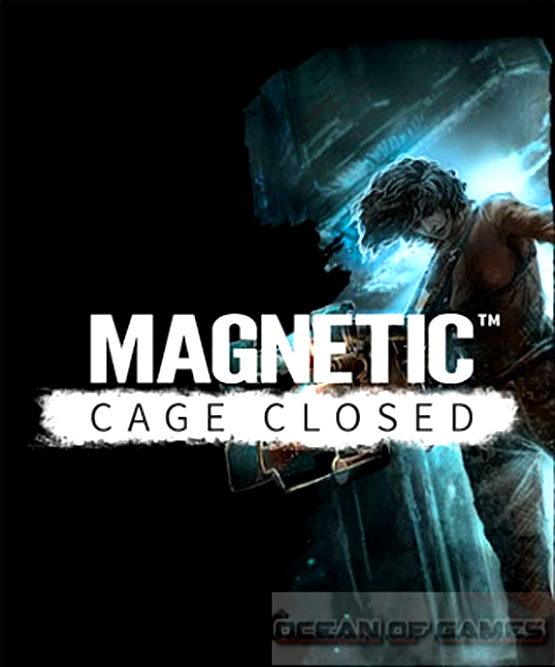
 Magnetic Cage Closed PC Game Free Download PC Game setup in direct link for windows. Magnetic Cage Closed is an action and adventure game.

Magnetic Cage Closed PC Game Overview

Magnetic Cage Closed is developed by Guru Games and is published under the banner of Gambitious Digital Entertainment. Magnetic Cage Closed game was released on 26th May 2015. You can also download Enforcer Police Crime Action

Magnetic Cage Closed PC Game Free Download

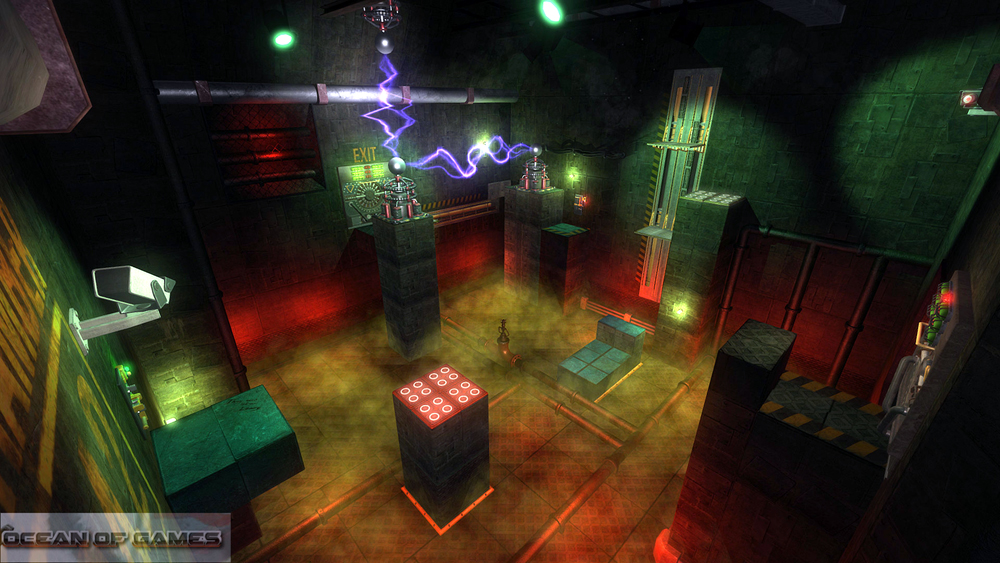
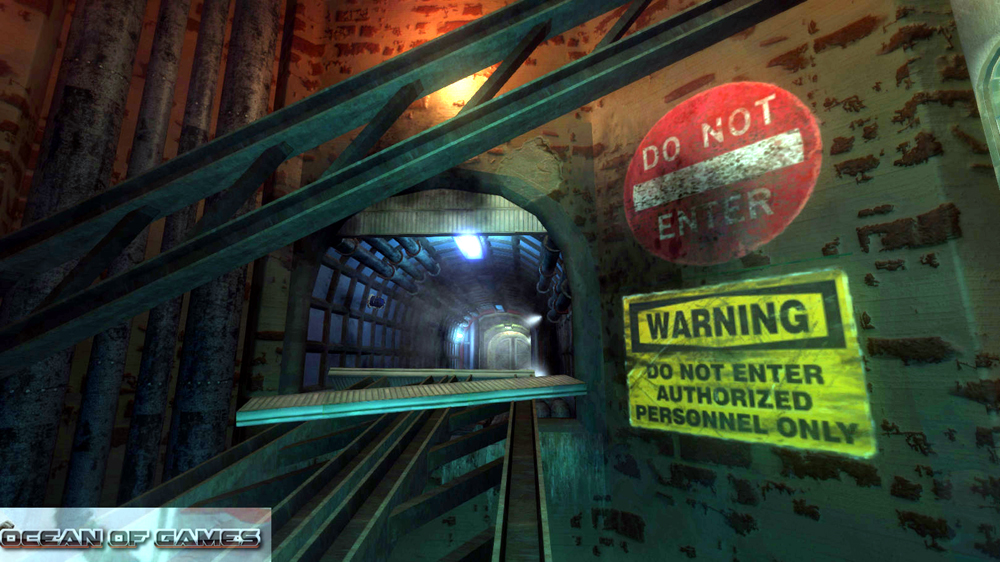
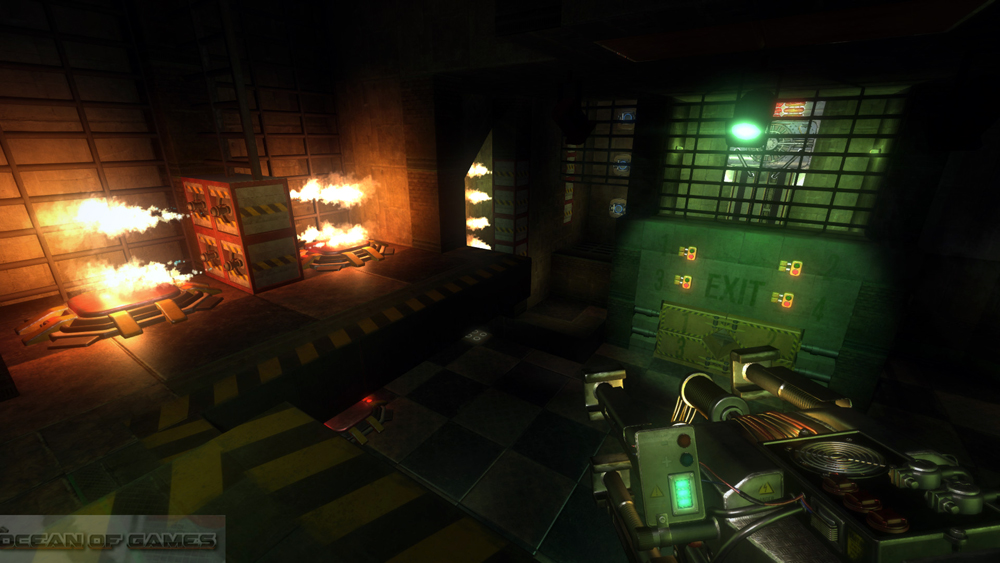
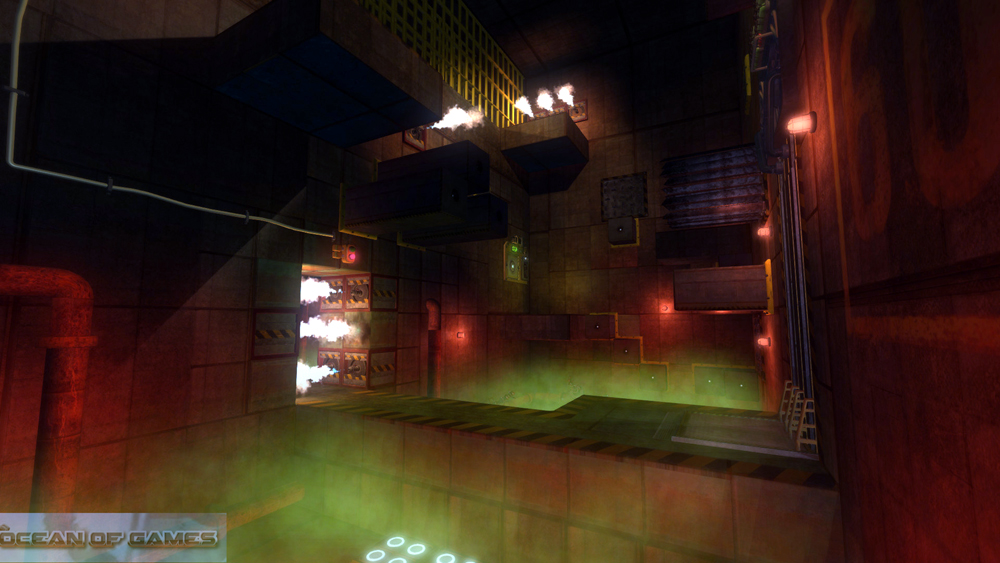
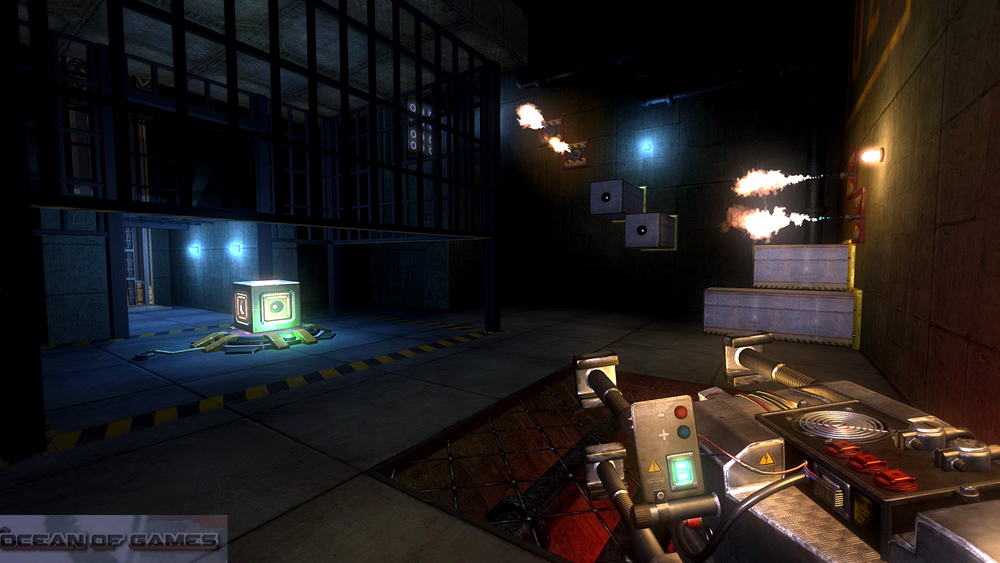
In this version of Magnetic Cage Closed game you are playing as a prisoner. Who has been imprisoned in a bizarre facility. This facility is filled with lots of deadly traps as well as secrets. The inhabitants of the facility have mysterious personalities and you have only one way to escape the facility and that is to master the Magnet Gun. You may also like to download Just Cause 2.

Magnetic Cage Closed PC Game Features

You need to stay away from harm as long as possible. The magnet gun is a very exceptional tool which can launch you through air and transform the environment. A wide variety of challenges are present in Magnetic Cage Closed game with numerous logical puzzles. Every choice you make will shape up the game for you. The graphics of the game are quite impressive and you will surely like this game. Remember Me is another action and adventure game that you can download.

Magnetic Cage Closed PC Game Download Free

Features of Magnetic Cage Closed PC Game

Following are the main features of Magnetic Cage Closed PC Game that you will be able to experience after the first install on your Operating System.

  • Imposing action and adventure game.
  • Player has been given a prisoner’s role.
  • Player is equipped with magnet gun.
  • Wide variety of challenges included.
  • Various logical puzzles included.
  • Game will shape up according to your decisions.

Magnetic Cage Closed PC Game Setup Free Download

Magnetic Cage Closed PC Game Download For Free

System Requirements of Magnetic Cage Closed PC Game 2015

Before you start Magnetic Cage Closed PC Game Free Download make sure your PC meets minimum system requirements.

  • Operating System: Windows 7/ Windows 8 and 8.1
  • CPU: 2.6 GHz Intel Core i3
  • RAM: 4 GB
  • Hard Disk Space: 5 GB

Magnetic Cage Closed PC Game Setup Download For Free

Magnetic Cage Closed PC Game Free Download

Click on the below button to start Magnetic Cage Closed PC Game Free Download. It is full and complete game. Just download and start playing it. We have provided direct link full setup of the game.


Before Installing You Must Watch This Installation Guide Video

 how-to-install-video-guide


Yakuza Kiwami Free Download

 Yakuza Kiwami Free Download PC Game setup in single direct link for Windows. It is an amazing action, adventure and role playing game.

Yakuza Kiwami PC Game 2019 Overview

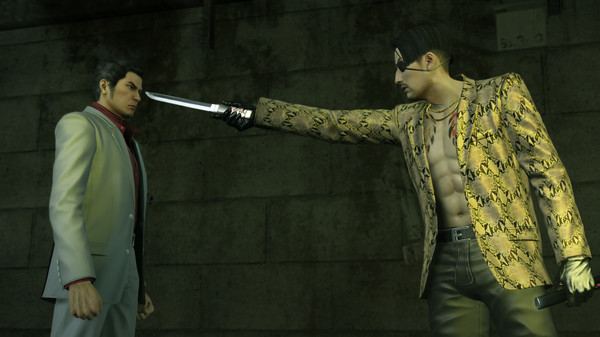
1995, Kamurocho… Kazuma Kiryu, the Dragon of Dojima, takes the fall for the murder of a crime boss to protect his sworn brother, Akira Nishikiyama, and his childhood friend, Yumi.

Yakuza Kiwami Free Download

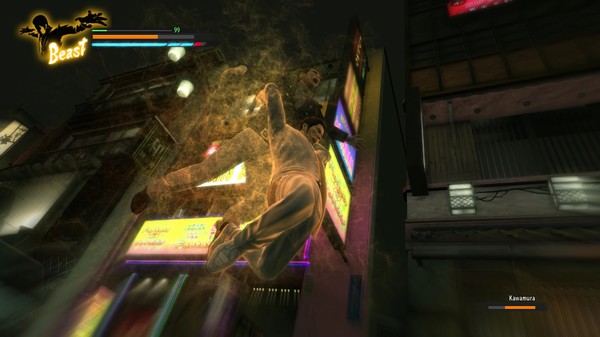
2005… Akira Nishikiyama has become a changed man. Yumi is nowhere to be found. Ten billion yen has gone missing from the Tojo Clan’s coffers, putting the organization on the brink of civil war. And Kazuma Kiryu is released from prison to a world he no longer recognizes.With enhanced gameplay, an expanded cinematic story, the return of the battle styles from Yakuza 0, more nightlife spots, and re-recorded audio by the series cast, Yakuza Kiwami is the ultimate and most “extreme” version of the original vision of the series, now optimised for PC with 4K resolutions, uncapped framerates, customisable controls and ultra-widescreen support.

Yakuza Kiwami Free Download

Features of Yakuza Kiwami

Following are the main features of Yakuza Kiwami that you will be able to experience after the first install on your Operating System.

  • Amazing action, adventure and role playing game.
  • Got high detailed 3D models and imposing gameplay modes.
  • Add a standalone entry to your library.
  • Got high resolution textures.
  • Bundles some of the most staggering modifications.
  • Got awesome visuals.

Technical Specifications of This Release.

  • Game Version : Initial Release
  • Language: English
  • Uploader / Re packer Group: Codex

Yakuza Kiwami Free Download

System Requirements of Yakuza Kiwami

Before you start Yakuza Kiwami Free Download make sure your PC meets minimum system requirements.

  • Operating System: Windows 7
  • CPU: Intel Core i5-3470 | AMD FX-6300
  • RAM: 4GB
  • Setup Size: 18.1GB
  • Hard Disk Space: 20GB

Yakuza Kiwami Free Download

Yakuza Kiwami Free Download

Click on the below button to start Yakuza Kiwami. It is full and complete game. Just download and start playing it. We have provided direct link full setup of the game.

Before Installing You Must Watch This Installation Guide Video

 how-to-install-video-guide


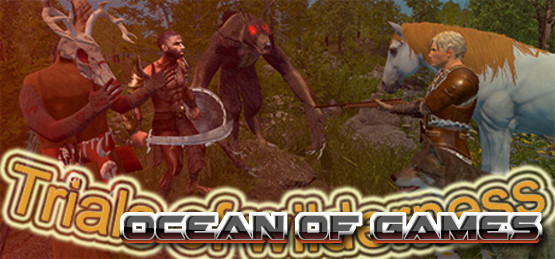
Trials Of Wilderness DARKSiDERS Free Download

 Trials Of Wilderness DARKSiDERS Free Download PC Game setup in single direct link for Windows. It is an amazing action, adventure and indie game.

Trials Of Wilderness DARKSiDERS PC Game 2021 Overview

Trials-Of-Wilderness-DARKSiDERS-Free-Download-1-OceanofGames.com_.jpg
You are alone on an island, trying desperately to survive amongst the village tribes of savages.
To do this you need food, water, and shelter.
Hunt animals to gather meat.
Chop down trees to build a base.
Gather resources (stone, iron, sulfur, clay, coal, leather…).
Plant crops, water the planters with a pump and pipes or bucket.
Trap and tame wolves and bears to protect you from enemies.
Tame and breed other animals for food or sell them to buy rare items.
Make weapons, armors and potions.
Raid villages or sneak inside to take loot.
Place traps and defend your base from savages and monsters.
Explore unknown places where enemies are hiding.
Sell or buy items in the shop.
Fight with big creatures.
However take a few moments to enjoy the beauty of the wilderness, but don’t be to relaxed.
Other game features:
Realistic view and hearing for animals, savages, monsters…
Building a house with different types of planks depending on the tree you cut.
Realistic taming and feeding of the animals.
Difficulty customization (Enemies spawning, player health, Resources count, start items).
Peaceful mode where savages and monsters do not attack you, normal survival mode,
and a base defense mode where savages attacks more frequently.
Most of the YouTube videos are outdated, here you can see the latest video:
The game will continue to receive updates after the full release.

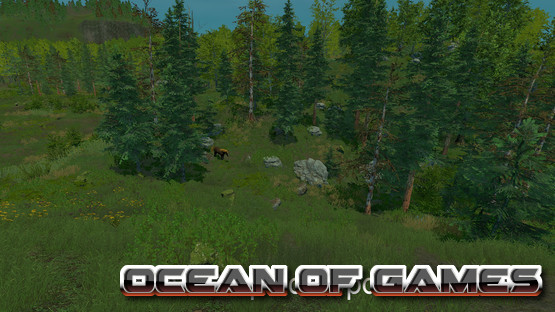
Trials-Of-Wilderness-DARKSiDERS-Free-Download-2-OceanofGames.com_.jpg

Technical Specifications of This Release.

  • Game Version : Initial Release
  • Interface Language: English
  • Audio Language : English
  • Uploader / Re packer Group: DARKSiDERS
  • Game File Name : Trials_Of_Wilderness_DARKSiDERS.zip
  • Game Download Size : 3.6 GB
  • MD5SUM : a944107f60c8a6eb5d2da7500fca1306

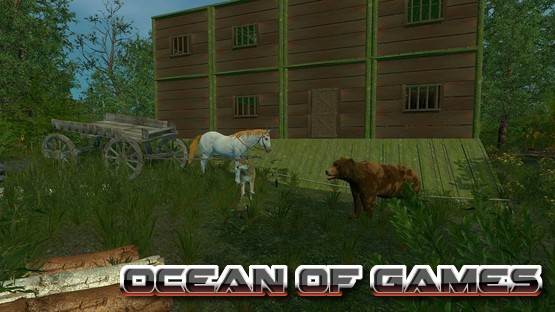
Trials-Of-Wilderness-DARKSiDERS-Free-Download-3-OceanofGames.com_.jpg

System Requirements of Trials Of Wilderness DARKSiDERS

Before you start Trials Of Wilderness DARKSiDERS Free Download make sure your PC meets minimum system requirements.

Minimum:

* Requires a 64-bit processor and operating system
* OS: windows 7 64 bit
* Processor: 2.5 GHZ
* Memory: 3 GB RAM
* Graphics: AMD Radeon HD 6570
* DirectX: Version 9.0
* Storage: 6 GB available space

Recommended:

* Requires a 64-bit processor and operating system
* OS: Windows 10 64 bit
* Processor: 3 GHZ
* Memory: 6 GB RAM
* Graphics: AMD RX 550
* DirectX: Version 11
* Storage: 6 GB available space

Trials-Of-Wilderness-DARKSiDERS-Free-Download-4-OceanofGames.com_.jpg

Trials Of Wilderness DARKSiDERS Free Download

Click on the below button to start Trials Of Wilderness DARKSiDERS. It is full and complete game. Just download and start playing it. We have provided direct link full setup of the game.


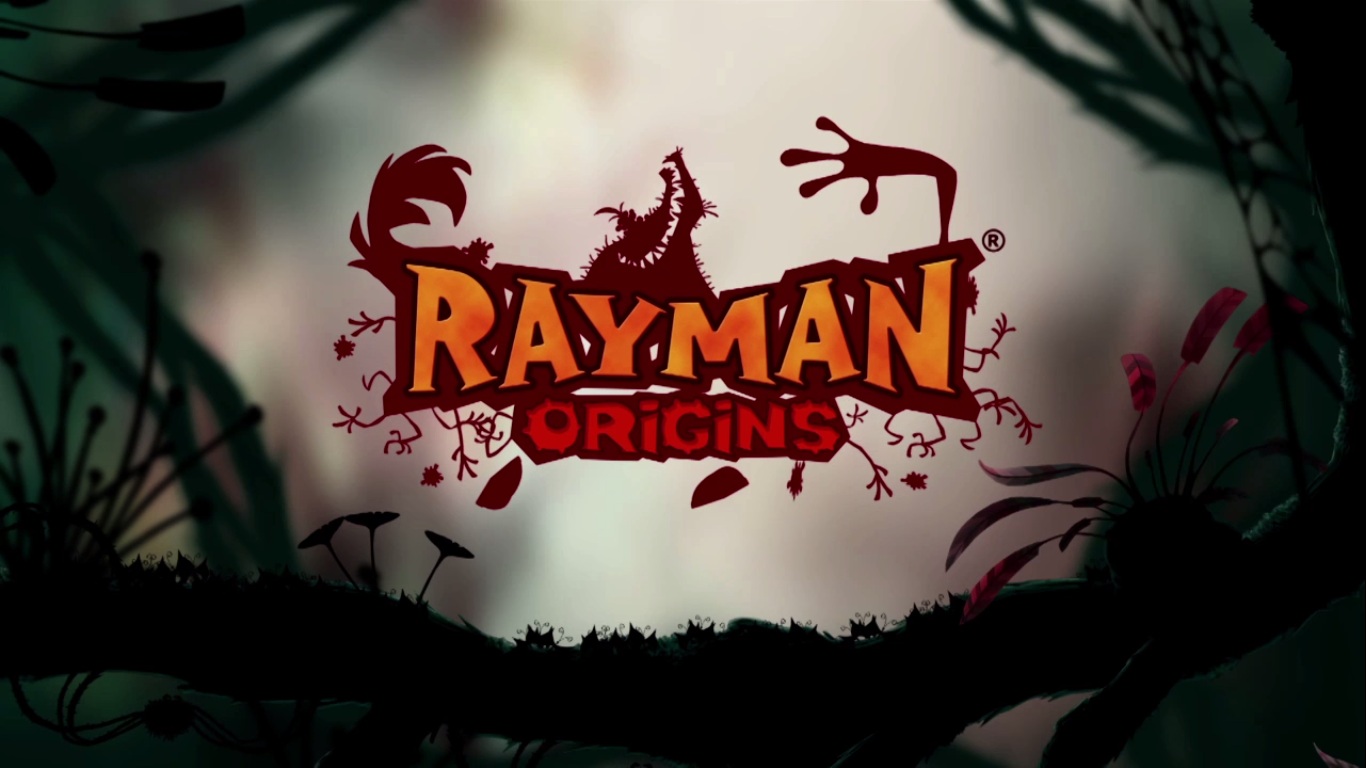
Rayman Origins Free Download

 Rayman Origins Free Download game Setup for Windows single link. Rayman is the game based on the story of adventure and to protect his land.

Rayman Origins Game Overview

Rayman Origins is the game developed and presented by the Ubisoft. Rayman Origins is the game in which the main character is rayman. and he has to saves his city. and for that he need to collect the Ruby teeth to defeat. and evil who is after their land. The game is a 2D. But the effects of graphics and sounds give the impression of a 3D game. The storyline of this game is amazing. and is really loved by the kids. It is a simple game with no much complications. All you need to do is that you have to clear the mission and move along. But you have to collect as many points to defeat the evil. The Rayman live in a land where magic is very common. So you will be awarded some magical bonuses to do the missions in lesser time and to get more bonuses. The Ruby teeth are the most important thing in this game. Because you can unlock some bonus stage with the help of it.

Rayman Origins Free Download

The best thing about this game is that. Its a very simple game with some amazing features added in it. The features include the magical powers that rayman has. and with the help of them. He has to fight and defeat the evil upon his magical land. It is an adventurous game and has a very beautiful and graphical stages. The sound effect are normal. But the background sound is amazing and the character made in this game is also nice and does those movements to make it funny too.

Rayman Origins Free Setup Download

Rayman Origins Game Features

Following are the features that you will be able to experience after downloading and installing Rayman Origins on your system machine

  • There are a lot of characters in the game
  • You can choose a co-partner with you
  • The maps included are beautiful and eye catching
  • The Background sound is great
  • It has bonus stages
  • You can unlock magical powers

Rayman Origins Free Download

Rayman Origins PC Game System Requirements

Below are the Minimum system requirements of Rayman Origins PC Game .

  • Operating System: Windows XP/ Windows Vista/ Windows 7/ Windows 8 and 8.1
  • CPU: 1.2 GHz Dual Core
  • RAM: 1 GB
  • Hard Disk: 3 GB

Rayman Origins  Features

Rayman Origins Free Download

Click below button to start Rayman Origins Free Download. It is full and complete game. Just download and start playing it. We have provided direct link full setup of game.


Before Installing You Must Watch This Installation Guide Video

 how-to-install-video-guide


Iron Man Game Free Download

 Iron Man Game Free Download setup. It is the game based on a fictional movie character and his genius mind to create destructive weapons.

Iron Man Game Overview

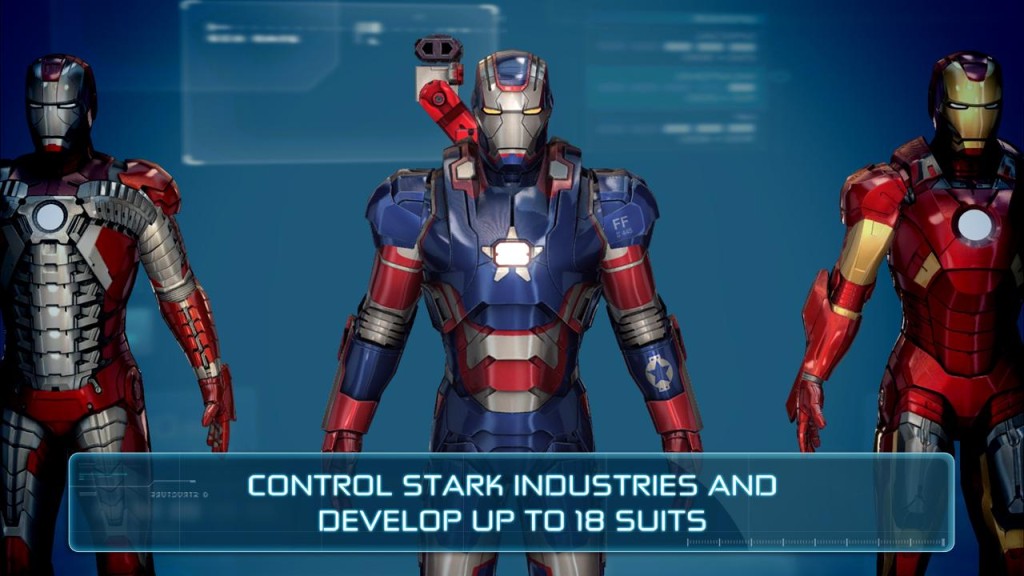
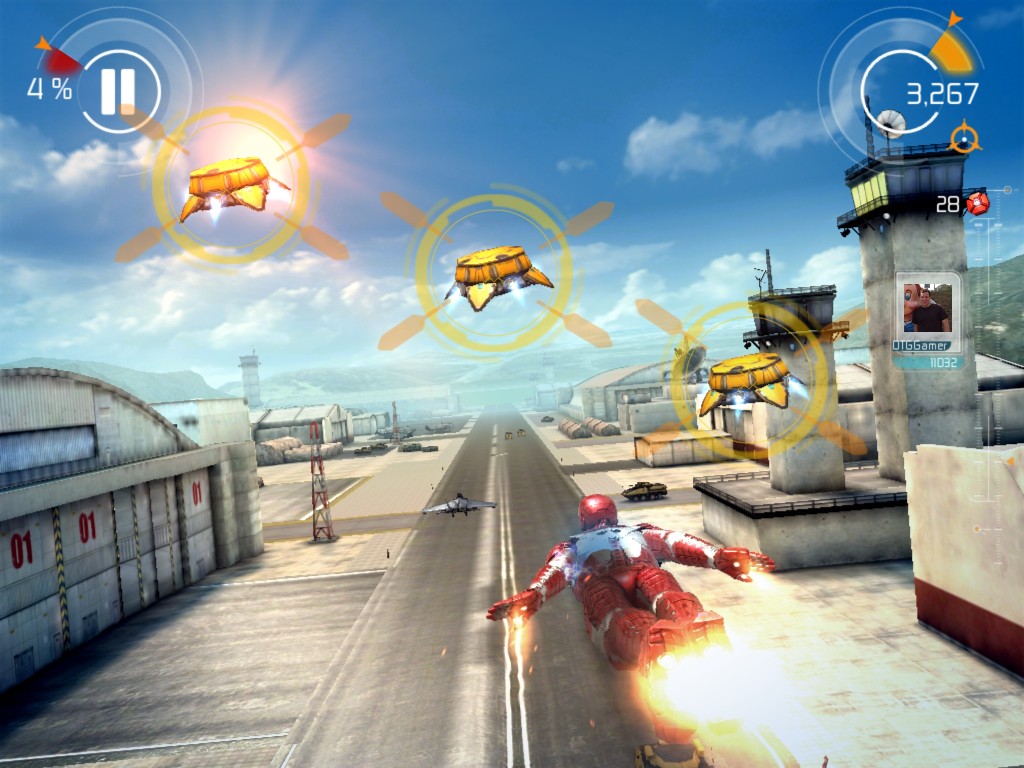
Iron Man is the game presented by Activision From the developers of Beenox. This game is based on a rich billionaire play boy who is the most genius person. He has his own world of technology. He owns a weapons company known as Stark Corporation. The story line start from him selling his arms to the US forces and then an accident happens. Some rebels kidnaps him in Afghanistan. and there he comes up with and idea. Idea to build unbeatable machine to kill and kill only. He works for months on that machine. and then when its time he escapes from that place and when he comes home. He rebuilds that machine but this time the purpose has changed. He tries to protect his city now. He has some links and resources from where he gets the information and helps the government. He is a vigilant but he also helps the forces with his metal and gun power.


Iron Man Game Free Download

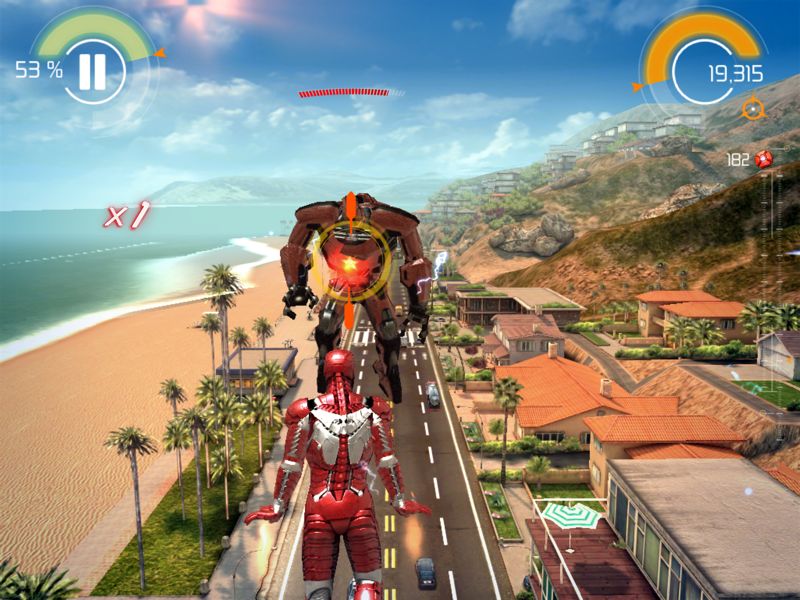
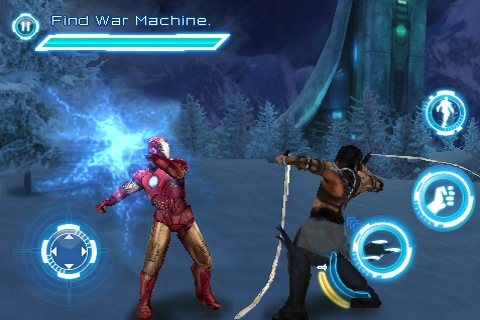
The best thing about Iron man game is the story line. The story goes on and on. But it is much similar like the movies. Still there are some weapons technologies. That are not introduced in the movie. There is a lot of features that were also not in the movie. The experience is different, You will come to know that it is really hard to fly and reserve you energy too. The best thing is the wrath. Its like a war in the game and you have to defeat your enemy. But you are the only one to fight because you are alone. If you want the same game like this. Then you should try spider man

Iron Man Game Free Download


Iron Man Game Features

Following are the features that you will be able to experience after the first play of Iron Man Game

  • There are so many places where gun power will be useless, all you need is strategy
  • The graphical effects are scored average by IGN but the sound effects are amazing
  • The story line of the game is much more like the movie but with a little spice in it
  • The Ariel view is the best part. You can see the whole way from the top.
  • The flying lessons are the good part because flying is the hardest part in the game

Iron Man Game Download Free


Iron Man Game System Requirements

Following are the minimum requirements of Iron Man Game

  • Operating System: Windows XP/ Windows 7/ Windows 8 and 8.1
  • Processor: Dual Core 1.9 GHz
  • Ram: 1 GB
  • Hard disk space: 6 GB

Iron Man Game Free Setup Download


Iron Man Game Free Download

Click Below button to start Iron Man Game Free Download. It is a full game. Just Download it and play it. We have provided full link setup of the game.
 

Before Installing You Must Watch This Installation Guide Video

 how-to-install-video-guide


Twitter Delicious Facebook Digg Stumbleupon Favorites More